
iPhone users can send audio to Sonos with AirPlay. Android has no built-in way to do that. The Cast to Sonos extension works from a computer, but it does not run on Android.
CastBreeze is an Android app for this. Select a Sonos speaker and press Start casting. Audio from apps on the phone, such as podcast apps, YouTube, radio apps and browsers, then plays on Sonos.
It is built and in testing. It is not on Google Play yet.
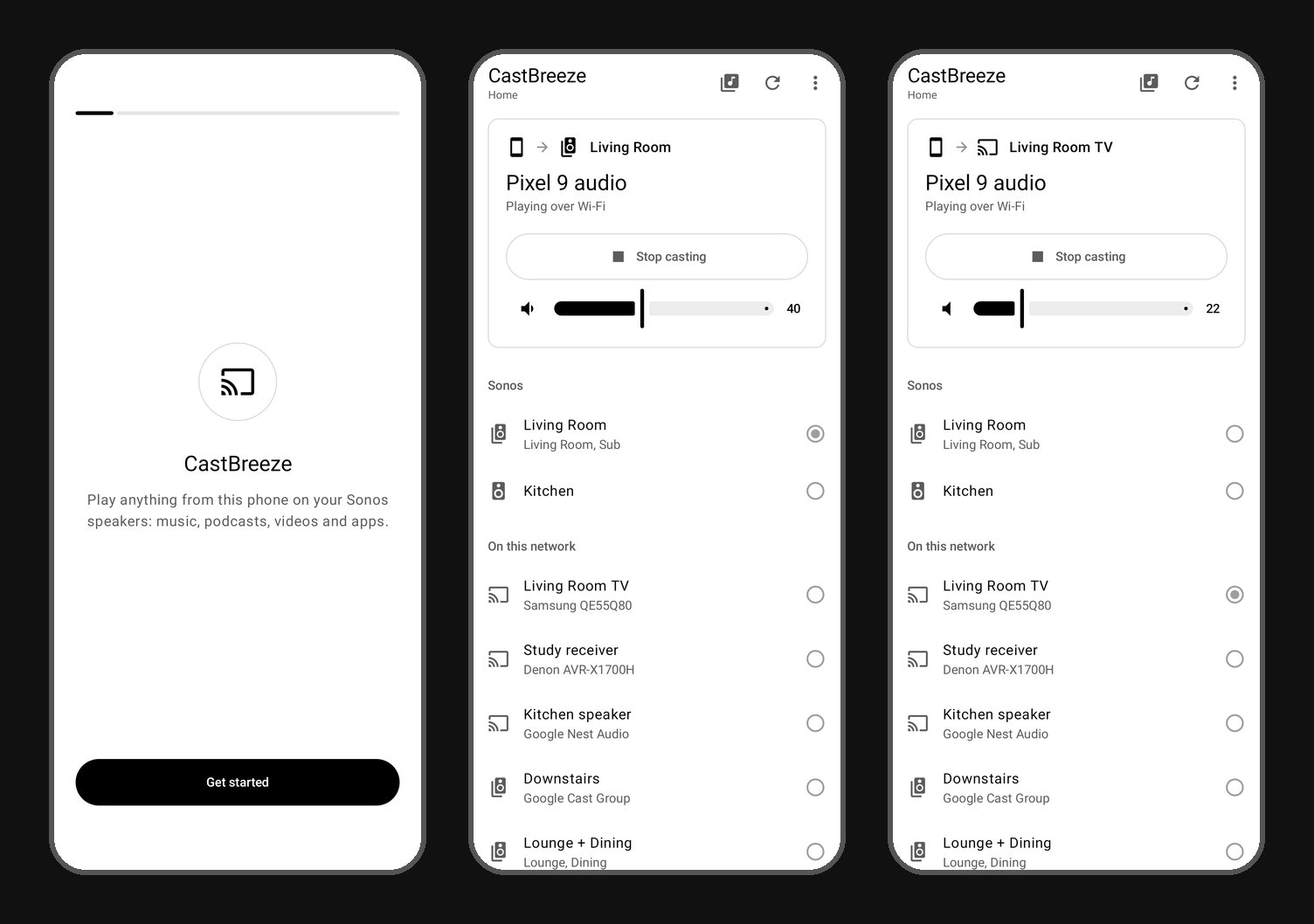
How it works
CastBreeze captures the audio other apps play on the phone and streams it to the selected speaker. The phone streams directly to the speaker over your Wi-Fi. When the speaker cannot reach the phone, for example on a guest network, the audio goes through the Cast to Sonos streaming servers instead.
Sonos groups appear as they are set up in the Sonos app. Volume is controlled from the app.
Other speakers
The same works for speakers that are not Sonos:
- Google Cast: Chromecast, Google and Nest speakers, Google TV, and devices with Chromecast built-in.
- AirPlay receivers and speakers.
- Denon and Marantz HEOS.
- Yamaha MusicCast.
- Bluesound, NAD and other BluOS players.
- DLNA and UPnP renderers, which includes most smart TVs.
A device that supports more than one of these is listed once.
Setup
Setup goes through each Android permission the app needs and explains Android's capture prompt. The app is available in 12 languages.
Release
Get notified when CastBreeze is released
One email when the app is on Google Play.
Frequently asked questions
Is CastBreeze available on Google Play?
Not yet. It is being tested on real speakers first. Leave your email on this page to get one message when it is released.
Which Android versions are supported?
Android 10 and newer.